
1 Reply
Posted by Vincent Sooabout 2 years ago
Hi Khai Luen,
Thank you for reaching out to Hilti.
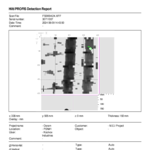
1) "Verified" is indicated by Blue
2) "Unverified" is indicated by Green
Measurements in the border areas ((1) and (2)) of a path or close to the grid lines are usually shown as "Unverified".
Similarly, measurements in the border areas (3) of a reference grid are also shown as "Unverified". These measurements cannot be fully evaluated because the signals received are incomplete.
Alternatively, in the Profis Detection itself, you can click on the "?" to access Help Contents > Search keyword "verified" > Measurement Section - to look at the full details.
I hope the above clarifies your question raised.
Should you have further concerns, please feel free to reach out again.
-MY Engineering Team